
I built Fresh to challenge the status quo that terminal editing must require a steep learning curve or endless configuration. My goal was to create a fast, resource-efficient TUI editor with the usability and features of a modern GUI editor (like a command palette, mouse support, and LSP integration).
Core Philosophy:
- Ease-of-Use: Fundamentally non-modal. Prioritizes standard keybindings and a minimal learning curve.
- Efficiency: Uses a lazy-loading piece tree to avoid loading huge files into RAM - reads only what's needed for user interactions. Coded in Rust.
- Extensibility: Uses TypeScript (via Deno) for plugins, making it accessible to a large developer base.
The Performance Challenge:
I focused on resource consumption and speed with large file support as a core feature. I did a quick benchmark loading a 2GB log file with ANSI color codes. Here is the comparison against other popular editors:
  - Fresh:   Load Time: *~600ms*     | Memory: *~36 MB*
  - Neovim:  Load Time: ~6.5 seconds | Memory: ~2 GB
  - Emacs:   Load Time: ~10 seconds  | Memory: ~2 GB
  - VS Code: Load Time: ~20 seconds  | Memory: OOM Killed (~4.3 GB available)
Development process:
I embraced Claude Code and made an effort to get good mileage out of it. I gave it strong specific directions, especially in architecture / code structure / UX-sensitive areas. It required constant supervision and re-alignment, especially in the performance critical areas. Added very extensive tests (compared to my normal standards) to keep it aligned as the code grows. Especially, focused on end-to-end testing where I could easily enforce a specific behavior or user flow.
Fresh is an open-source project (GPL-2) seeking early adopters. You're welcome to send feedback, feature requests, and bug reports.
Website: https://sinelaw.github.io/fresh/
GitHub Repository: https://github.com/sinelaw/fresh
Looks like an interesting project!
OP, I'm playing around with it a bit, but notice it only supports mouse input when running in terminal emulator under X, and doesn't support mouse events from GPM (in the way that mcedit does, for example).
Thanks! Will take a look. Opened https://github.com/sinelaw/fresh/issues/231
I'm a little annoyed that for a Rust based tool the recommended installation command is to use npm. Why? Is Cargo not good enough? Cargo seems exceptionally well to me.
I get the frustration, but I think the npm option actually makes sense here. A lot of users who’d benefit from a fast Rust tool aren’t Rust developers and won’t have Cargo installed. Shipping it through npm lowers the barrier while still giving everyone the performance benefits. It’s not a knock on Cargo, just a way to make the tool more accessible.
Given the fairly shoddy security story with NPM, I genuinely don't understand the hesitation to publish a binary and have a README instruction to curl/wget it into `/usr/local/bin` or `~/.local/bin`. If it's going through NPM that publishing step has to be done already, unless the NPM build is pulling down rust to compile it all as a native extension.
Eventually it'd wangle it's way into homebrew or the unstable branch of another package registry.
But that's me, because I really dislike installing binaries via a language's package manager, because they don't get updated unless I frequently run the upgrade commands for each package manager.
That (security ) is something I also worry about. I'd like to get off npm if only for this reason. It's a hack to get started.
The other thing it gives you is the ability to easily upgrade and uninstall so just a script to copy stuff is not on par.
Thing is… who is regularly running `npm update` or `cargo update` to keep local software up to date?
I wouldn’t, because I might be in a repo and it starts upgrading all my local dependencies, and I’m not gonna add a text editor as a dev dependency. I’ll happily take the binary, or a tar.gz with the binary in it, though.
(Btw I love how it’s following the old DOS aesthetic)
> who is regularly running `npm update` or `cargo update` to keep local software up to date?
I do, religiously, as part of my routine to check for updates.
n lts && npm uninstall -g corepack && npm update -g && n prune
The npm distribution here is just the binary, you run npm install again and it upgrades to the latest binary. That's convenient
I'm in the same boat as a JS/TS developer for years to get used to npm install the recent AI command line tools under global scope, it's really weired. Personally I don't event install front end toolchains global as almost all of them work under project scope.
But I totally get the idea behind this, it's greatly combined with the cargo toolchain and is widely installed than cargo (which by the way npm is much easier to install than cargo with my personal experience), npm handles update nicely, and it can handle multiple arch too. I would still prefer npm install because I have installed a lot recently so it's ok.
Does it matter? You are apparently contemplating running a third-party binary on your machine anyway. It seems a bit weird to Worry about npm’s security story, which is all about executing arbitrary code.
Many of them may not be Node developers either, and might not have npm installed. Using a dependency management tool for one language to distribute a packaged application written in an entirely different language seems like a very strange choice.
Why not use the various standard and commonplace packaging and distribution methods for application software? Distro repos, tarballs, Homebrew, AppImage, Flatpak, etc.
Anything that uses npm is fundamentally untrustworthy. I would argue that if you make an editor you should write software for people that want to use and write good software, which isn't anyone that unironically uses npm with anything other than distaste.
npm is certainly not something everyone has.
Not everyone it's a web developer. Sysadmin and system programmers (and older millenials) don't care and don't want to install anything related to NPM.
but you could also say a lot of users are web developers and won't have npm installed
Can't it be packaged as a binary/whatever that would install without either cargo or npm?
You can use: cargo install fresh-editor
Or you can use npm
Or you can download release binary packages from Github releases.
The problem is which option to make more prominent / first
I did it because not everybody has cargo installed. I'm using cargo-dist to create this npm package.
i don’t (and won’t) have npm installed. i do have cargo.
strange thinking!
I would bet 100 Euro there is at least an order of magnitude, if not two or three, more installs of NPM clients than Cargo right now.
Then use: cargo install fresh-editor
I've documented that as well it just isn't the first option listed
I've been wanting a generic package manager for a while that is cross-platform. I wonder how one could find funding for such a project. Thinking about users from various OS' installing tools and software from your niche package manager, yeah that bad boy is going to grind to a halt if you have no key funding.
Same. I started writing one as a weekend project and got as far as having a GH repo with releases that mirror the binaries of the tools that I use, normalizing the archives so they can be installed in the same way. It auto-generates a release whenever the project authors update their projects.
https://github.com/alshdavid/install-scripts/releases?q=node...
https://github.com/alshdavid/install-scripts/releases
All of the binaries here are expected to be standalone/portable installations, so you can download/extract the archive and just run the binary.
    curl -L --url https://github.com/alshdavid/install-scripts/releases/download/terraform-1.14.1/terraform-1.14.1-linux-amd64.tar.gz | tar -xvzf - -C $HOME/.local/bin
    $HOME/.local/bin/terraform --help
> generic package manager for a while that is cross-platform
That would be Nix. Runs on any Linux distro and OSX. Also particularly useful for NixOS and NixBSD.
By cross-platform, do you really mean Linux/BSD/Mac/Win/ChromeOS/Android?
Or do you just mean something like Guix?
Artifactory exists. It's not hard to store packages and metadata somewhere.
i just used npx to try on my working machine where i do not have cargo
Is there a way to install it with cargo instead? I won't install npm on my machine just to install a Rust package
Sure, cargo install fresh-editor
consider wget or curl if possible (why not if npm was...)
Shameless plug: I did a series a couple years back, before AI was this huge, about writing a Vim-like editor in Rust, in case you want to play with it in the future:
https://www.youtube.com/playlist?list=PL9KpW-9Hl_het1V3_dLhG...
Goood stuff!
One of my long-standing "would make if I had the time and perseverance" themes has been a terminal text editor that's hugely VSCode-like + compatible, so always glad to hear anyone going anywhere near that, and hence I perked up from these:
> Prioritizes standard keybindings and a minimal learning curve.
> Extensibility: Uses TypeScript (via Deno) for plugins, making it accessible to a large developer base.
Because where you are now with Fresh, you're probably really not far from supporting say `settings.json`, `launch.json`, `tasks.json`, `keybindings.json`, `.tmTheme`s and theme `.json`s, and indeed bringing up a VSCode-API-implementing "extension host" that can load up and run/host most `.vsix`es. Now, being terminal-based you'd skip over certain feature subsets such as webviews, custom (non-text) editors and the like... and might postpone Notebooks and such fancies initially, but:
Consider! 1000s of high-value, capable, tech-specific dev extensions out there, all readily supported by your just-spawned new editor. Doesn't that sound pretty exciting?
After all, there's a huge subset of VSCode fans who'd always switch in a heartbeat to a just-simply-non-Electron version (whether native or terminal) of the very same feature-scape & extensions & UI dev experience if only it was made and to max compatibility (and MS won't ever do so).
All that's missing (from screenshot glance) is the other sidebars & panels in addition to File Explorer =)
Will be putting your Fresh on my Github Watch list, but then again, I never really read the GH feed anyway.. but maybe I'll remember to check back in every quarter or so =)
I've been mulling over vscode extension compatibility... There is a challenge there, because the API surface is non-trivial and some of it is "web-ish". I wouldn't want people to be disappointed if 60% of the plugins they try to use don't really work properly.
Also, there are nuances like VSCode exposing APIs that force the entire file to be in-memory (which is how VSCode works), this is fine but in my editor I'm trying to get extensions to work well even if the file is huge (encouraging incremental / partial stuff).
But yes, it's a very compelling vision... and part of the reason I chose TypeScript.
Thanks for the input :)
Did you review Claude's code? If so, how much experience do you have with programming and reviewing? For example:
extract_config_structs in build.rs (https://github.com/sinelaw/fresh/commit/a9f2fbc74b86840fe441...) does not, in fact, do what the comment says.
> I did a quick benchmark loading a 2GB log file with ANSI color codes... Emacs: Load Time: ~10 seconds | Memory: ~2 GB
Now try opening it in Emacs with vlf [1] ;) Great work overall — looking forward to seeing further development!
Didn't know about vlf!
It loads instantly, and memory usage is minimal <80 MB.
It does seem like vlf requires configuration and adjustment, e.g. navigation with the normal keys works differently (jumps to beginning/end of current chunk instead of the whole file). Basically it exposes the chunk concept to the user.
In Fresh it's designed into the core and should be more transparent (although there are still limitations).
It's great to see someone share a full project created with a tool like Claude but the text to communicate about it being also written by Claude still feels uncomfortable to me. It just adds a lot of unnecessary information that reflects the chat history with the user more than the needs of the reader.
Installed it and out of the box this is the best new TUI editor I've tried, probably ever. There are so many great editors out there but I've never been a fan of modal editing, despite recognizing it's incredible power. My brain just doesn't work that way, yet I'm highly keyboard focused and prefer terminal over gui for most things, especially text.
Great work on this! Very good performance but also a very good UX and you really nailed the discoverability / accessibility - basically everything works intuitively and needs very little explanation - this is something that I can't say about really any other editor I've tried.
This may finally replace nano as my default utility editor, if not my main IDE.
I built my UX on the shoulders of giants, inspired by WordPerfect 5, Turbo Pascal, and similar legendary heros of the early 90s. Plus a command palette like VSCode.
Thank you :)
Not a full IDE, but worth checking out:
I tried it, I like it a lot, but I did find an issue straight away.
I'm on MacOS and I have remapped the fn and command keys so it can be more like Windows (I can't undo 20+ years of muscle memory, and also I just don't wanna)
Anyway, Fresh seems to ignore the remapping - it's back to the command key for copy/paste and the command palette.
Is there a way to access the dropdown menus by keyboard? I can see F underlined for File but no modifier key seems to make it happen
I'll need to look into this, not sure what remapping does to the incoming key events.
Also I'm already working on a ui for customizing the key bindings so you could do whatever you wanted. (Currently managed by undocumented json)
Thanks for reporting!
This is probably not your responsibility. Modifier keys and especially rebinding them are really in the realm of the OS and the Terminal emulator. The application really shouldn't have to do special things to accommodate Mac OS idiosyncrasies.
Alt+F should open the File menu. I guess that's Option+F on MacOS. Does that work?
You have to turn on "Use Option as Meta Key" in your terminal app's keyboard settings. (Terminal.app has it under Profile/Keyboard)
You should put standard keyboard bindings as a pitch on the website as well. Most people in the market for a terminal editor are probably looking for something that doesn't require them to learn a set of keyboard shortcuts that's entirely different from every other piece of software that they use.
I searched for that desperately until I discovered micro[1].
Here's a quick comparison between micro and fresh:
- Fresh implements more standard keyboard shortcuts, like Ctrl+ArrowLeft and Ctrl+ArrowRight to skip to the next and previous word, Ctrl+Backspace to delete the previous word and Ctrl+Delete to delete the next one.
- Fresh is extensible in typescript, Micro in lua.
- Fresh is able to open the wikidata json dump (1.7T).
- Micro is included in most repos, so if you rent a new VPS you can immidiately dnf install it.
Thanks for testing that! I'll bump the keybinding thing too.
Getting included in distributions is a worthy goal... So many things to do
I just tested it and I must say congrats. I really enjoy the command palette, the open file menu and the multi cursor. It's well thought, really intuitive so far and I definitively will use it regularly (more once I setup the LSP).
Keep up the good work !
Thanks and if you encounter any issues (even minor annoyances) let me know (e.g. open a github issue), I want the experience to be smooth
> Efficiency: Uses a lazy-loading piece tree to avoid loading huge files into RAM
I once started writing a text editor on Linux, and first went down a similar route: a piece table over a mmap()'d file. But I abandoned using mmap, because Linux file systems typically don't have mandatory locking enabled, so you can't be sure that the file data won't be modified by another program.
(Then I got bogged down in Unicode handling... so 95% of the code became just about that, and I tired of it)
I considered using mmap to help manage the caching but what if your file is hosted on S3 or whatever? (Something I'm planning to support eventually)
So I opted for explicit management of chunks, also gives me more control and consistent cross platform behavior.
Haven't tried it but I'm pretty sure this editor is going to be very popular very soon.
Because configuring an editor that comes with different plug-in systems in a third programming language is a lot of hassle for people who are too focused at getting the job done and don't want to be distracted with a whole another configuration framework in yet another programming language.
Dear Santa, this year I don’t need gadgets - all I want is a Borland Turbo Vision–style console text editor with windows, tabs, and syntax highlighting. I promise to be good and keep my code compiling.
Something like this? https://github.com/magiblot/turbo
All AI generated, not something I can trust.
Yes, to some extent because AI only assisted the developer achieve their goal.
But the developer is clearly talented, no doubt about that. They know their stuff very well. Having tried writing a text editor myself, I could quickly tell they know their stuff by analysing the program design
> to some extent
so many commits authored by `claude` with 100+ lines each, that extent is not "some".
Read the commit history, almost all are written with Claude
I hate to be that guy, but did you know about Fresh, Deno's official frontend framework ? [1] If your app wasn't using Deno for extensibility it wouldn't be such a problem but since it is, I think it's gonna make searching for both harder.
Just installed on both pop_os and windows 11. On Linux everything seems to work ok. On Windows 11 the mouse only moves to the start of a line, cannot select text at all click anywhere but the very first part of a line. Every now and then it will select some random word on the line but mostly just column 1. Installed with Cargo if that matters using rustc 1.91.1, looks like 1.88.0 is min supported. On pop the mouse works as expected. Will check it out more when I get time just wanted to give you the heads up.
If you use WSL in Windows it works fine (or so I've heard). Getting it to work properly on native Windows is a gap. I tried various quick fixes like using a different backend but they didn't help much.
Thanks for reporting!
[deleted]
Would love to see something for diff views (e.g. side-by-side/unified). I mostly program through CLI agents, and so seeing the changes it makes is probably the primary thing I use the editor for, these days.
aaaa
Shameless plug: I build a terminal text editor with quite the opposite philosopy. Modal, suckless/assemble it yourself, extremely hackable, plenty fast, written in Zig.
Great work, my only nitpick is that when you quit, it tells you that its not gonna save, then its yes to confirm quit. I instinctively wanna type N to quit without saving.
I feel like thats the opposite behavior. For example, I use https://github.com/zyedidia/micro as my main editor in terminal, where it says `Save changes to filename before closing? (y,n,esc)”` when you try to quit.
Good point, I'll change it to something more sensible with action-based options instead of y/n. https://github.com/sinelaw/fresh/issues/226
1. CI looks unhealthy: https://github.com/sinelaw/fresh/actions/workflows/ci.yml
2. Thank you for running builds on ubuntu 22.04 so it's compatible with it. You might want to compile with cross or zig to support even older operating systems.
As it's statically linked I don't see a reason it shouldn't work in any much older Linux as well. But I haven't tried yet.
> statically linked
I'm not sure where you got this idea. The binary you distribute is dynamically linked:
> fresh: ELF 64-bit LSB pie executable, x86-64, [...], dynamically linked, [...]
and it links with libc, libm, and libgcc_s, which means the distro will matter, because GLIBC is not compatible that way.
How did you, after building this entire app, come to the conclusion that its statically linked? Rust apps typically aren't, by default.
Good keybindings, some are missing compared to what normally works, e.g., in the browser text input area or in gnome-text-editor (Ctrl-Shift-Up/Down was one I directly ran into).
I've found https://github.com/gphalkes/tilde to work quite well, it also supports the system clipboard. Nice to see a Rust alternative.
ctrl+shift+up/down - not sure what you mean it to do?
In VSCode it adds multiple cursors directly above/below.
In other editors I think it moves (shifts) the current line up or down.
Actually not that important, it also does the same as shift-up/down and I think it's more a convenience feature that one can keep ctrl pressed when it was pressed as ctrl-shift-left/right for word selection and one then presses up/down.
I had given up hope on ever finding an editor like this. Just did a little bit of browsing in a current project and WOW. Going to use this for the rest of the day and kick the tires. Well done!
Glad to end your search. Don't give up if you hit some glitches, please open issues and we'll get over them quickly.
Will do, appreciate your hard work on this.
Thanks for this cool project ! I was desperate to find more modern terminal editors with CUA mode. There is micro which is already good, but I wanted something more and hope your editor will fill that space.
Getting the system clipboard to work was hard until I found arboard - https://github.com/1Password/arboard
i REALLY love this thing, especially the efficiency and speed (phenomenal!). gonna start using it daily. i guess i will be one of those providing feedback.
Great work!
Thanks! Don't hesitate to report even minor annoyances (e.g. github issues)
Surely! I will.
I love a new editor as much as the next guy but has there been any real new/novel features in text editors over last 10 years?
I feel like sublime text got most of it right and every editor since then has been a reskin of the same (just written in a different stack)
Language server protocol is a huge deal! Without it, I think we'd still see a lot more JetBrains style language bespoke IDE use and a lot less VSCode style text editor + plugin combos.
Since the original post was about a TUI editor, its worth mentioning Helix which supports most modern language out the box. That's amazing and wouldn't have been possible 10 years ago.
Sublime, Atom, VSCode, and now Zed are all GUI-based. That's not bad - but I prefer the terminal (and I find tmux + ssh very convenient). I guess it's a matter of personal taste.
For terminal based, there are also many options but not so much in the direction of "VSCode style". They're mostly focused on being "vi-style". And also the huge file support isn't as good in any of the others that I've tried.
Vim and Emacs run in the terminal perfectly well.
I'm a big emacs user for many years but the amount of config tweaking and package installation needed (for me) is too much. And I never made it past the elisp learning curve
It’s nice that Claude allows you to make things like this just because you want them to exist, right? Making it by hand would be a multi-month project, but it seems to have taken about 3 weeks?
Completely agree - Claude multiplied my productivity in this case by a factor of 3 at least. It took ~3 weeks "wall clock time" - worked around the clock pretty intensely (got hooked! I love this) so maybe more like 1 month of normal working hours. Would have taken a lot longer than that without Claude Code and I would have given up before reaching this state.
Looking forward to giving this a try, especially on my first gen Raspberry Pi! :)
What are the reasons behind going with GPL-2 instead of a more permissive license like MIT or 0BSD?
You will probably at minimum build some neat helper functions and maximum code reuse is IMHO the best thing for the world.
I would for instance be curious on the ANSI routines but hesitate to invest mental energy when the code has limitations on usage.
Lastly cool to see new open source programs being built with heavy help from a code generation model. Inspiring!
I need to think about that still, you raise a good point. I'd like people to be able to use parts of the source pretty much freely, but I wouldn't want someone to replicate the entire editor as a proprietary closed-source product.
The GPL is still a great choice, keep software freedom for the users not the corporations.
The multi-cursor experience is the smoothest I've seen in a terminal based editor. Congrats!
I took a look--it seems like you can pass a path on the command-line to open to. Can you pass a line number, also?
No, but that's a good idea, I'll add that
Also--cool editor!
What are Zed's numbers in the performance challenge?
Interesting license choice, would why did you choose version 2 instead of 3?
Honestly it reflects on my, uh, experience - I still think of GPLv3 as a "new" license.
I don't have a particular reason. Maybe I should switch.
If it's good enough for the Linux kernel, it's good enough.
The look reminds me of Turbo Pascal. Without the bright blue color.
Check out the nostalgia theme, built in: https://raw.githubusercontent.com/sinelaw/fresh/refs/heads/m...
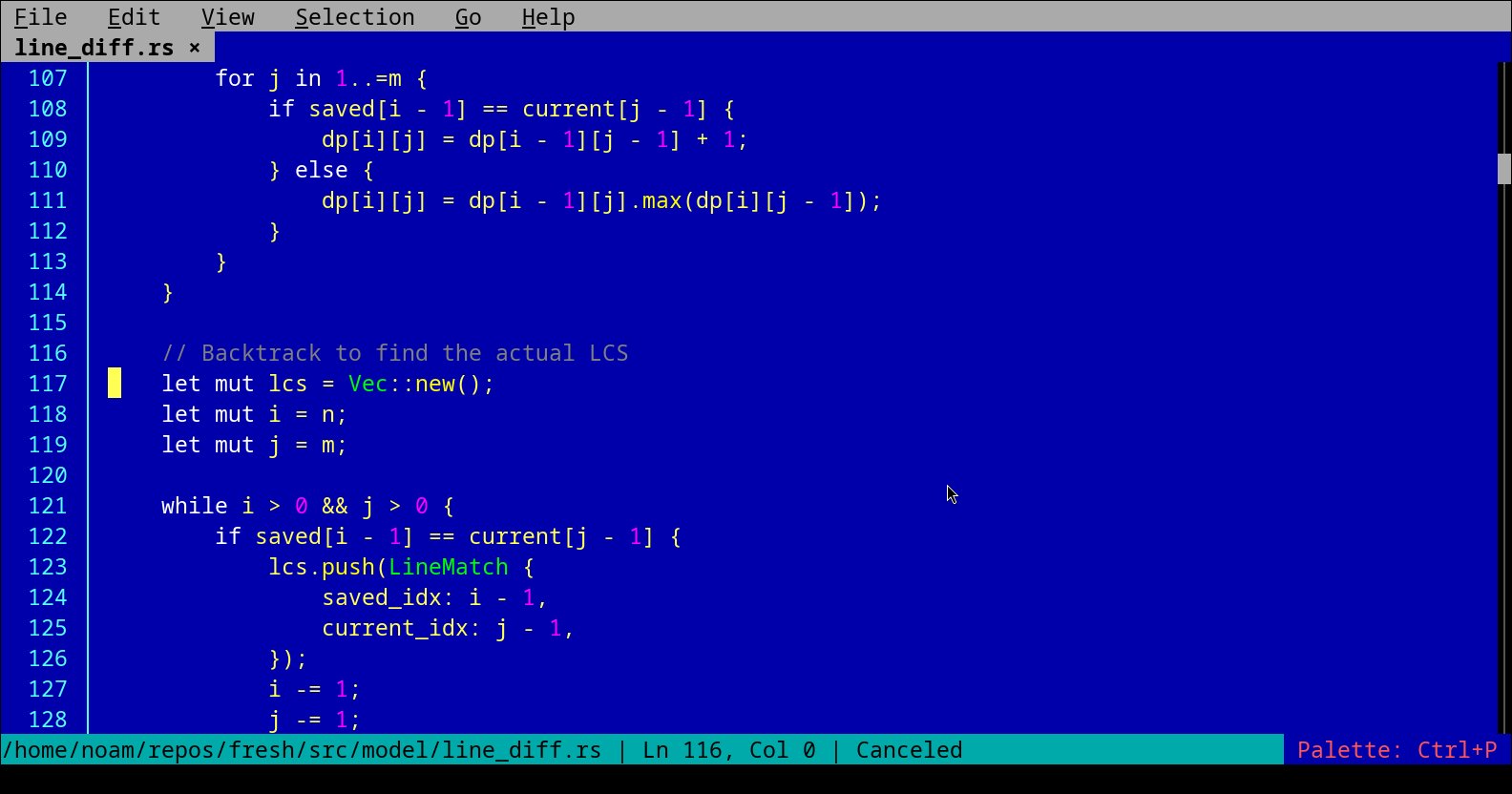
I have to say... I really like it.
I was settled on NVim and VSCode, then I discovered Zed, which is fantastic.
I guess you should not keep your life closed for new experiences. Everybody loves fast and responsive software, what can I say.
Thank you for your work, I will enjoy using it, it isn't for everything but that is how I started with Zed.
Happy you like it, use github issues liberally if you hit any annoyances
[deleted]
selection is broken on mac eg cntrl+shift+right switches terminal tabs
Which terminal are you using? (I'm not a MacOS user so less familiar). That's a shame, but I guess the only fix is for you to change the terminal shortcuts because the in-terminal programs will just not receive those key events.
Or maybe try using a single tab in your terminal, maybe that will let the key pass through?
Anyway I need to add keybinding UX or maybe a different default set of keys for MacOS? hmm.
Would this work over SSH? I have many shells that I use for testing on different OSes and some of them have no working editors at all. I wonder what versions your binary builds will work on.
Yes, it will, as it uses terminal emulation with ANSI colors. See the author below referencing tmux + ssh as a motivation for TUI.
[deleted]
400mb executable for a terminal text editor?
Modern developers have lost their mind
Is it 400mb? Could be V8 for plugins.
Thanks for reminding me. Unfortunately yes, it's because of v8 (for Deno).
For extensions, the choice was either TypeScript (and get this bloat) or go with Lua and a much smaller binary (but less popular language).
But - I just realized stripping it brings it down to 76MB so I guess that's ok! Will push a commit :)
> For extensions, the choice was either TypeScript (and get this bloat) or go with Lua and a much smaller binary (but less popular language).
Incredible, the technical choice got overridden by popularity, leading straight to bloat
I see extension language choice as a user-facing UX decision, and convenience is a leading concern.
I'd argue using lua is is more convenient than typescript
What ever suits you, you didn't mind shipping a 400mb executable after all, so what do i know
Great! Just wondering maybe Bun (different JS engine) could do the job for plugins.
Anthropic Bun? :) I didn't realize it was an engine as well. I can take a look but we should wait and see where the acquisition takes it
"Bun is a new JavaScript runtime built from scratch to serve the modern JavaScript ecosystem. It has three major design goals:
    Speed. Bun starts fast and runs fast. It extends JavaScriptCore, the performance-minded JS engine built for Safari. Fast start times mean fast apps and fast APIs.
    Elegant APIs. Bun provides a minimal set of highly-optimized APIs for performing common tasks, like starting an HTTP server and writing files.
    Cohesive DX. Bun is a complete toolkit for building JavaScript apps, including a package manager, test runner, and bundler.
- From the homepage[1] - it's a shame they use semantic html but no anchors for direct linking.
I think they're referring to bundling Bun into another program to use Bun as a JS runtime: https://github.com/oven-sh/bun/issues/12017
"Bun itself is MIT-licensed. JavaScriptCore Bun statically links JavaScriptCore (and WebKit) which is LGPL-2 licensed. WebCore files from WebKit are also licensed under LGPL2."
License compatible, probably safe from a rug pull?
Yes but I believe it would be a safe and lighter choice. The rug pull on deno is more imminent than elsewhere.
Maybe I should see if I can support either one (e.g. cargo feature flag) for insurance
love me a new text editor, here for this!
[flagged]
[flagged]